
Role-Based Access Control and Least-Privilege Permissions
Project objective: build and test an AWS Identity and Access Management environment to practice role-based access control and least-privilege permissions in a controlled setting.
Project Overview
I created IAM policies, a user group, an IAM user, an AWS account alias, and resource-specific permissions. I then tested those permissions from the IAM user's perspective to verify that authorized actions worked while unauthorized actions were blocked.
Tools and Concepts
- AWS IAM, Amazon EC2, and the AWS Management Console
- Identity and access management with IAM users and groups
- JSON-based policies and resource-level permissions
- Least-privilege access, policy evaluation, and permission testing
- AWS account aliases and the IAM Policy Simulator
Tags
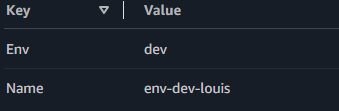
I tagged the EC2 instances with the key Environment and assigned the values Production and Development. Tags make resources easier to identify, organize, automate, and manage, while also supporting cost allocation and environment management.
IAM Policies
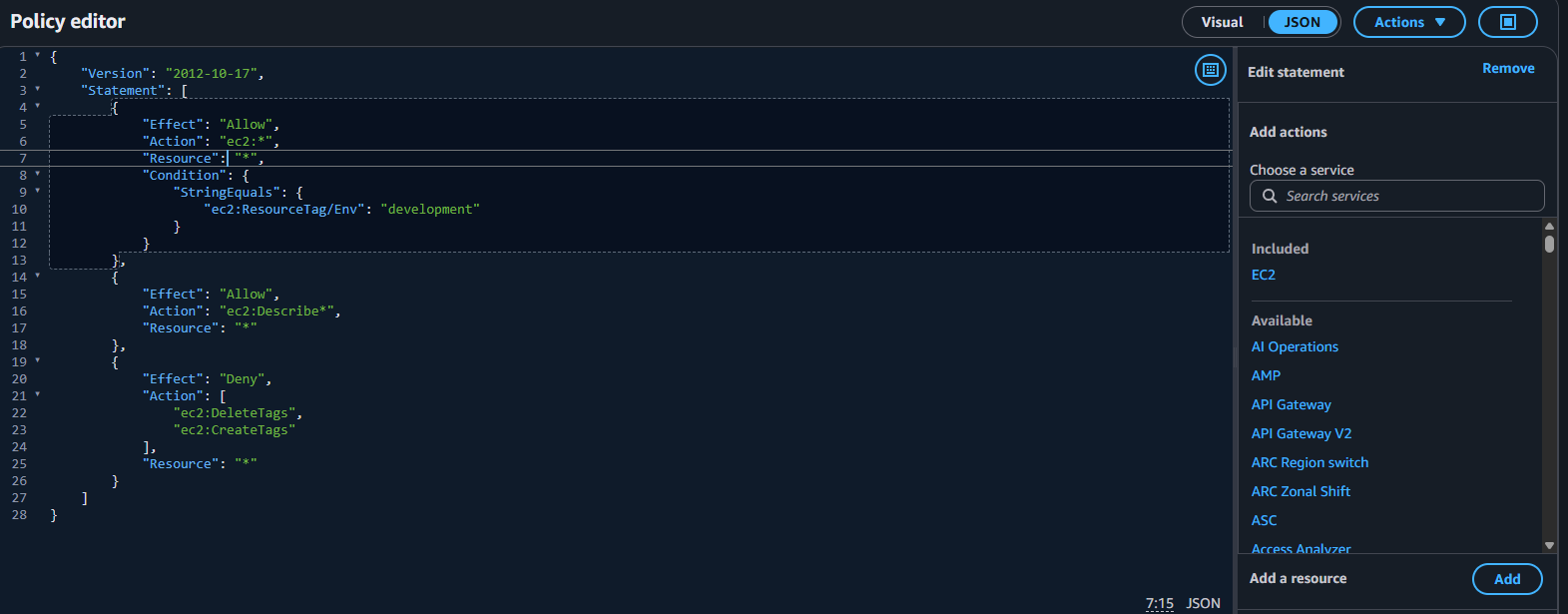
IAM policies are JSON documents that define what actions a user or group can perform, which AWS resources those actions apply to, and whether those actions are allowed or denied. I created a custom policy instead of granting broad administrative access so the configuration could model a real developer or operator workflow.
Effect, Action, and Resource
- Effect determines whether the policy allows or denies an action. This project used Allow statements.
- Action identifies the AWS operation, such as ec2:StopInstances.
- Resource identifies the specific target, such as an EC2 instance ARN.
Together, these fields scope permissions more precisely than granting access to an entire AWS service. The policy distinguished the development environment from the production environment.
Account Alias
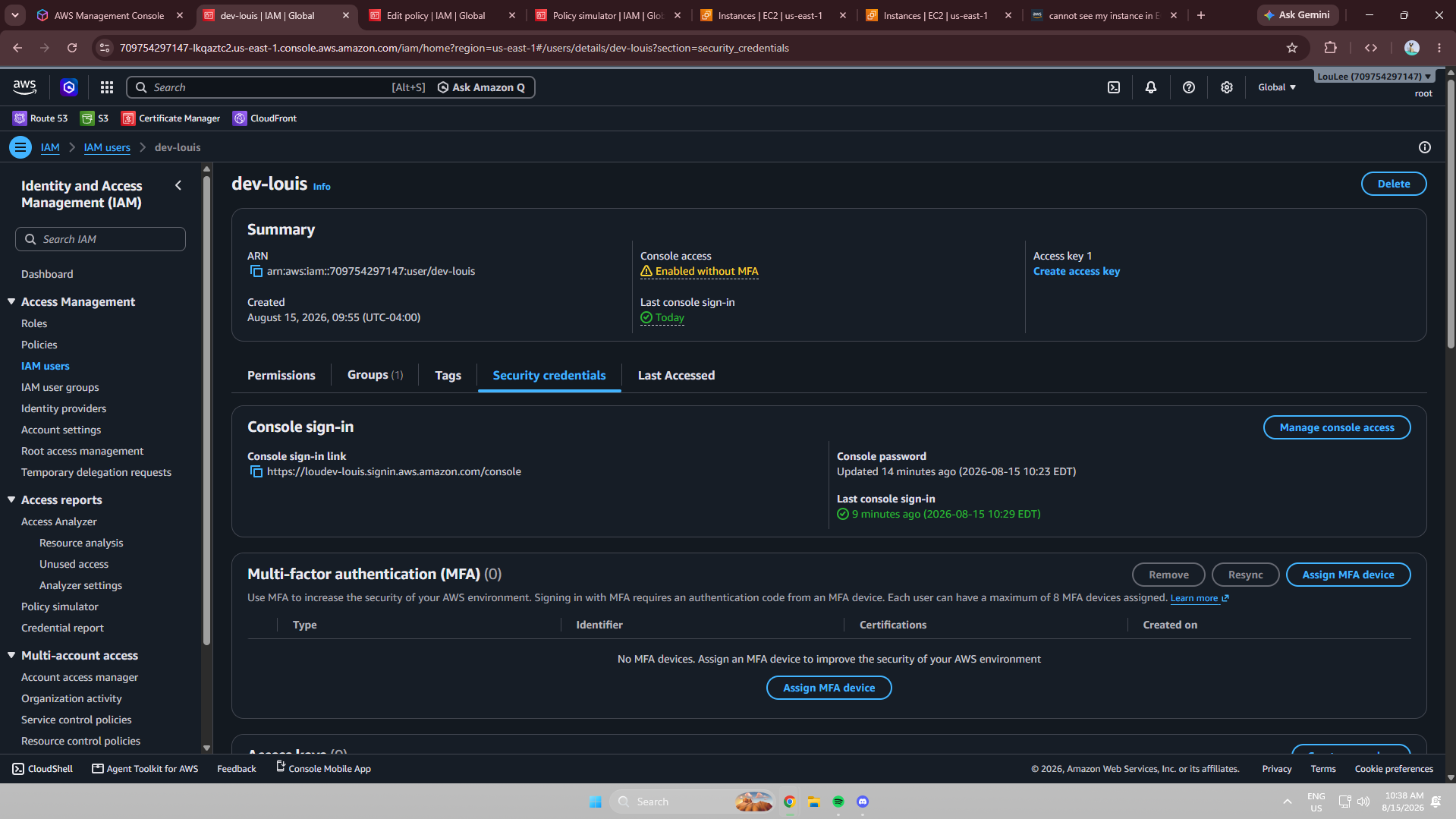
I created the account alias loudev so the IAM sign-in page could use a human-readable name instead of the default AWS account identifier. The resulting sign-in URL was https://loudev-louis.signin.aws.amazon.com/console.
IAM Users and User Groups
I created an IAM user group and attached the custom policy to the group. The IAM user was then added to that group and inherited its permissions. Groups provide a scalable way to manage shared permissions for roles such as Developers, Administrators, Security, Operations, and ReadOnlyUsers, without configuring each user individually.
Logging in as an IAM User
I used the account-alias sign-in URL and authenticated as the IAM user rather than using the root account. The IAM dashboard exposed less functionality than an unrestricted administrative account because the user inherited only the permissions assigned through the group.
Testing IAM Policies
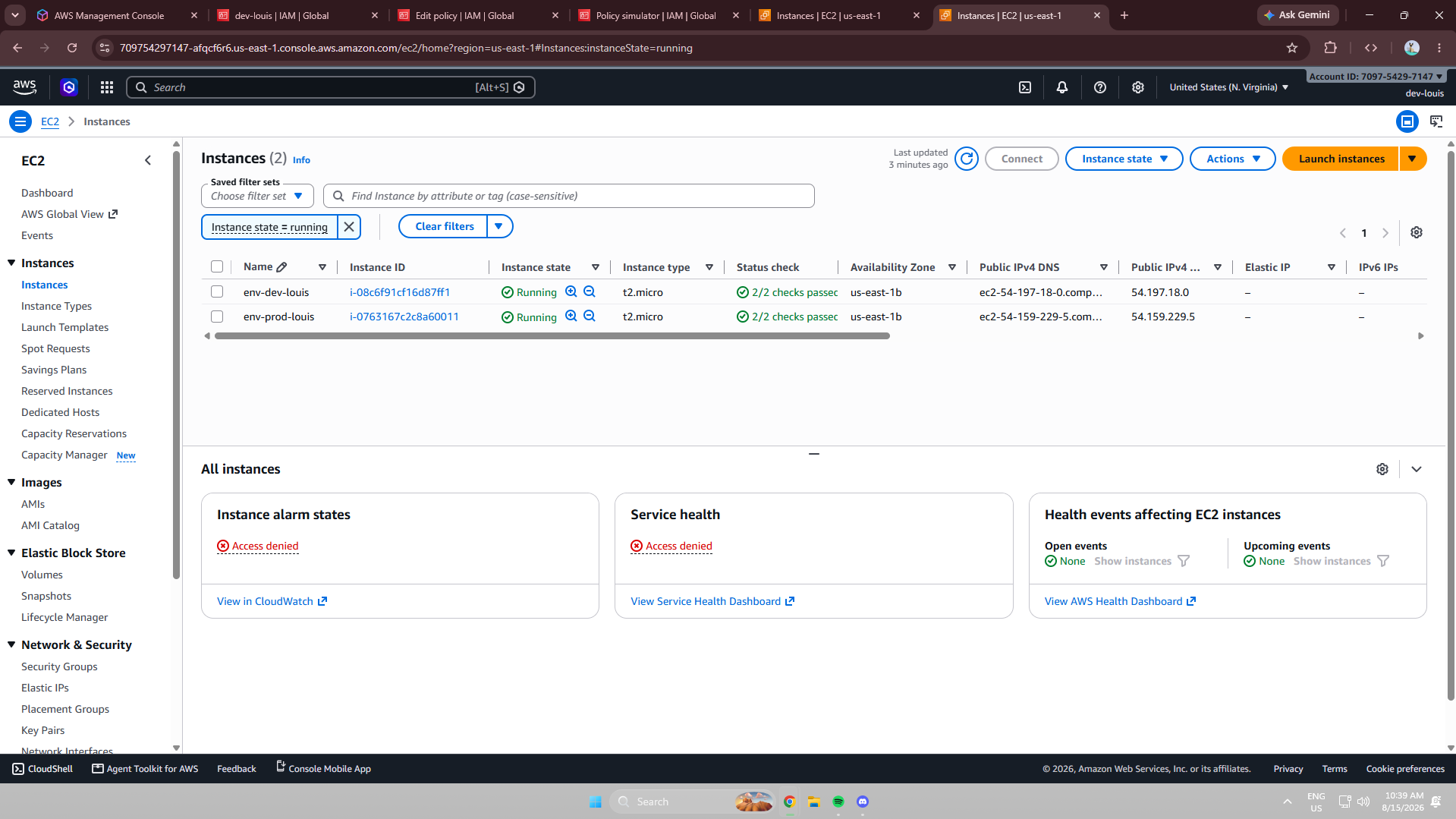
Creating a policy is only part of access control, so I tested EC2 actions from the IAM user's account. The purpose was to confirm that authorized actions succeeded and unauthorized actions were blocked.
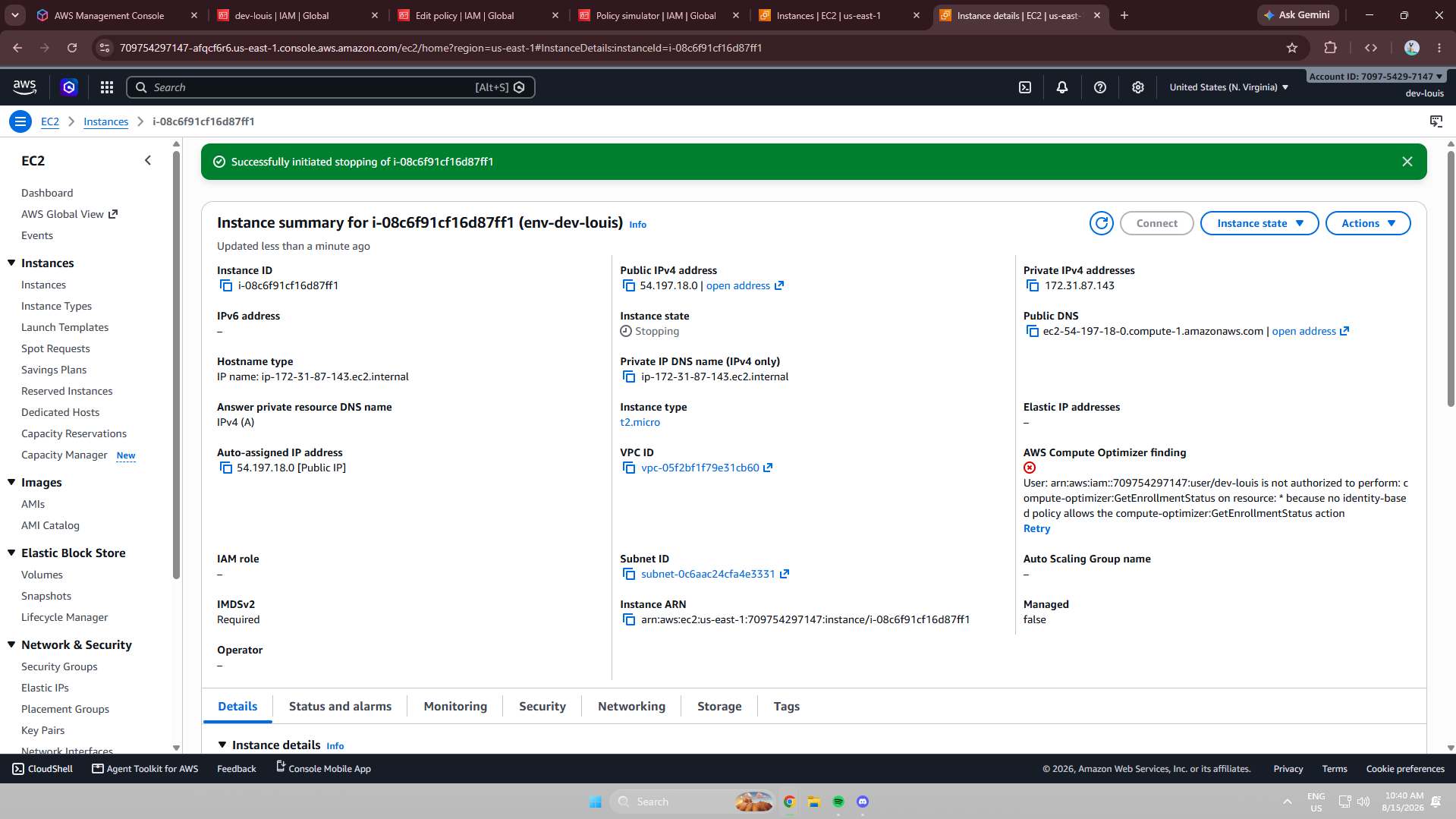
Production instance action: denied.
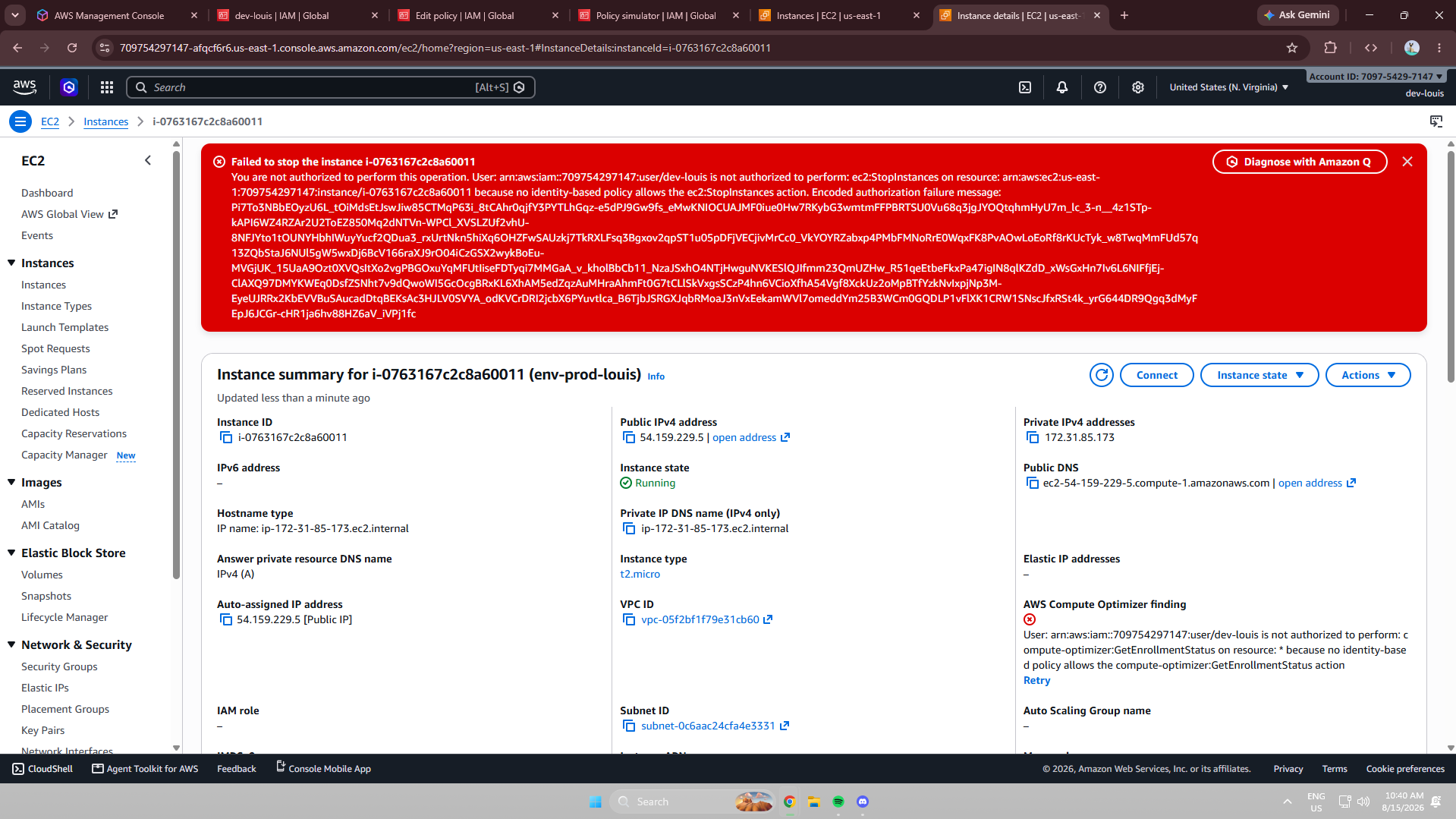
Development instance action: allowed.
The development stop action succeeded because the IAM policy granted the required EC2 permission for that resource. The corresponding production action was restricted, confirming that the policy distinguished between the two environments.
IAM Policy Simulator
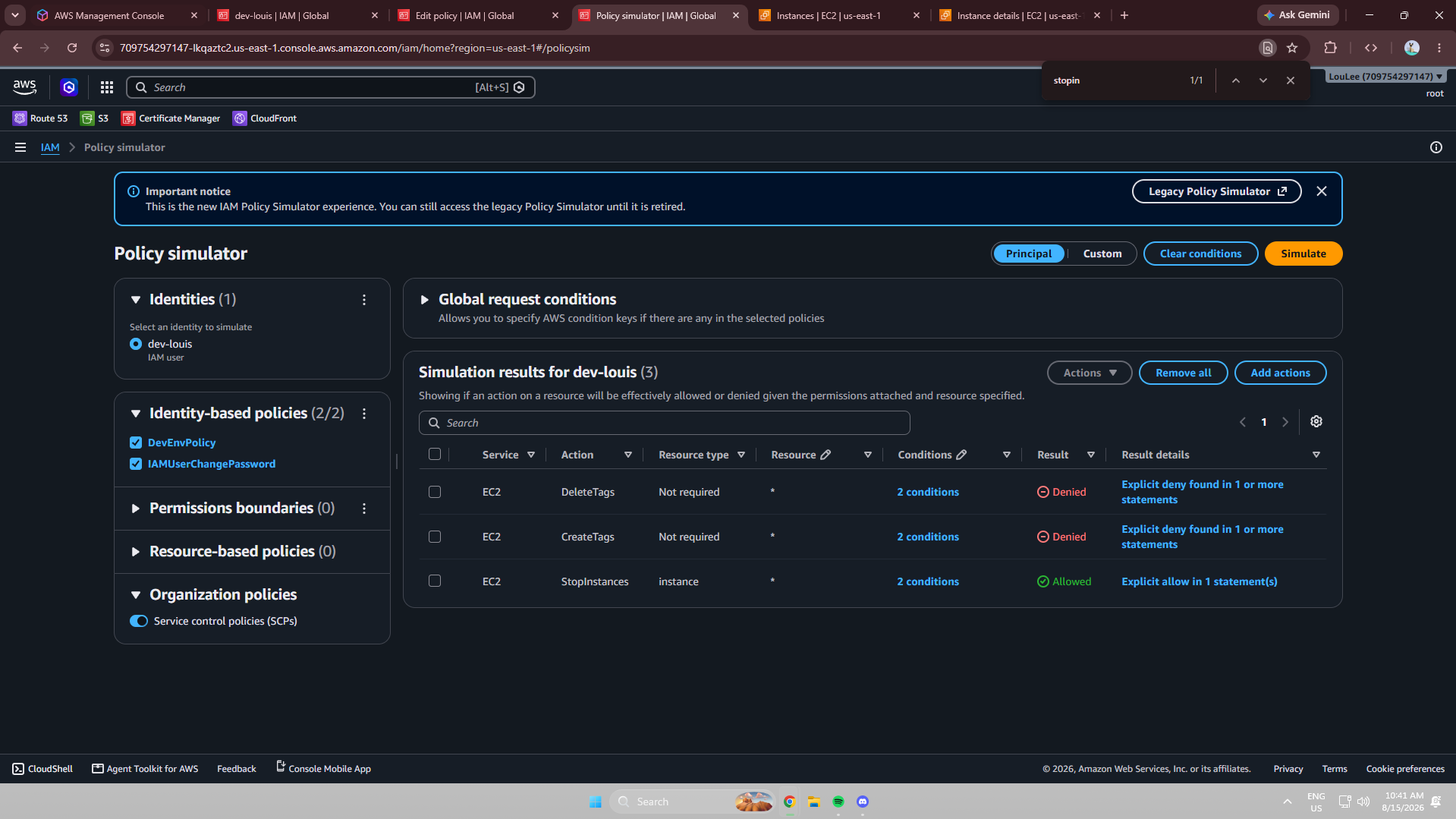
The IAM Policy Simulator provides a controlled way to validate policies, troubleshoot permission issues, test least-privilege configurations, understand policy evaluation, and identify unexpected permissions. I simulated EC2 actions for the IAM user against both resources. The development action was allowed and the production action was denied, matching the console tests.
Project Reflection
The most interesting part was understanding how IAM evaluates permissions and how the Effect, Action, and Resource elements work together in a JSON policy. The most rewarding part was testing from an actual IAM user's perspective and seeing permissions behave as intended. The project reinforced the difference between granting access and restricting specific actions on individual AWS resources.
Security note: IAM user credentials should never be shared publicly or included in documentation, screenshots, GitHub repositories, or portfolio projects.