
Building a Virtual Private Cloud with Public and Private Subnets
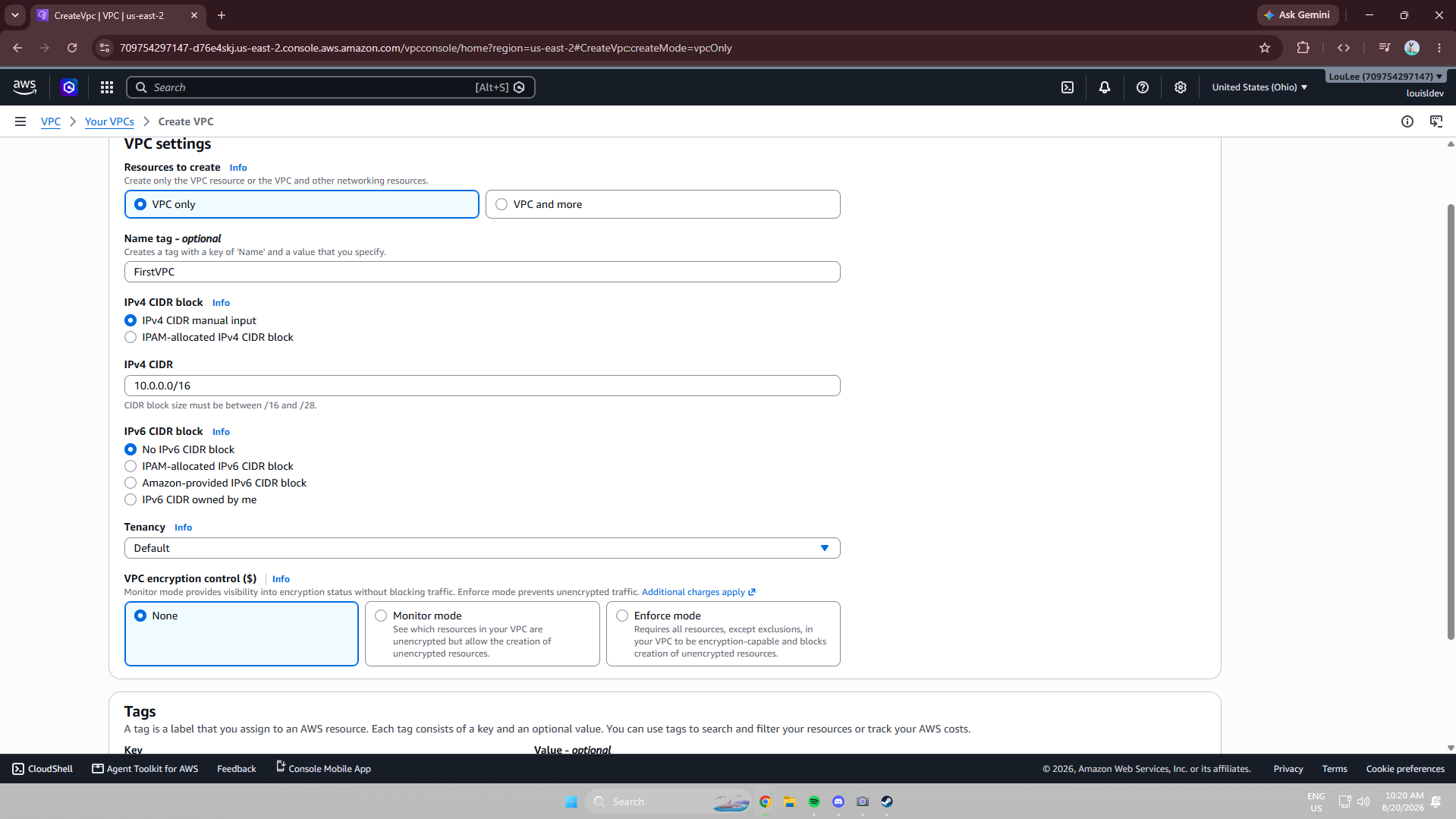
Project objective: design and build a custom Amazon VPC from the ground up, then layer in the routing and security controls needed to safely separate public-facing and private resources.
Project Overview
Across three connected sessions, I built a custom VPC, configured public and private subnets, attached an Internet Gateway, and worked through route tables, security groups, and network ACLs to control how traffic moves in and out of the network. I finished by comparing my private subnet's isolated configuration against the public subnet I built first, and explored managing the same resources through the AWS CLI and CloudShell.
Tools and Concepts
- Amazon VPC, subnets, and the AWS Management Console
- IPv4 CIDR blocks and address space planning
- Internet Gateways and public IPv4 addressing
- Route tables, routes, destinations, and targets
- Security groups (stateful) and network ACLs (stateless)
- Private subnets and network isolation
- AWS CloudShell and the AWS CLI
Building a Custom VPC
My account already had a default VPC, since AWS automatically provisions one so users can launch resources without manually building a network first. To understand networking from first principles, I created a custom VPC instead, defining an IPv4 CIDR block that determines the range of private IP addresses available inside it and controls how many resources the network can support.
Subnets and Public IPv4 Addressing
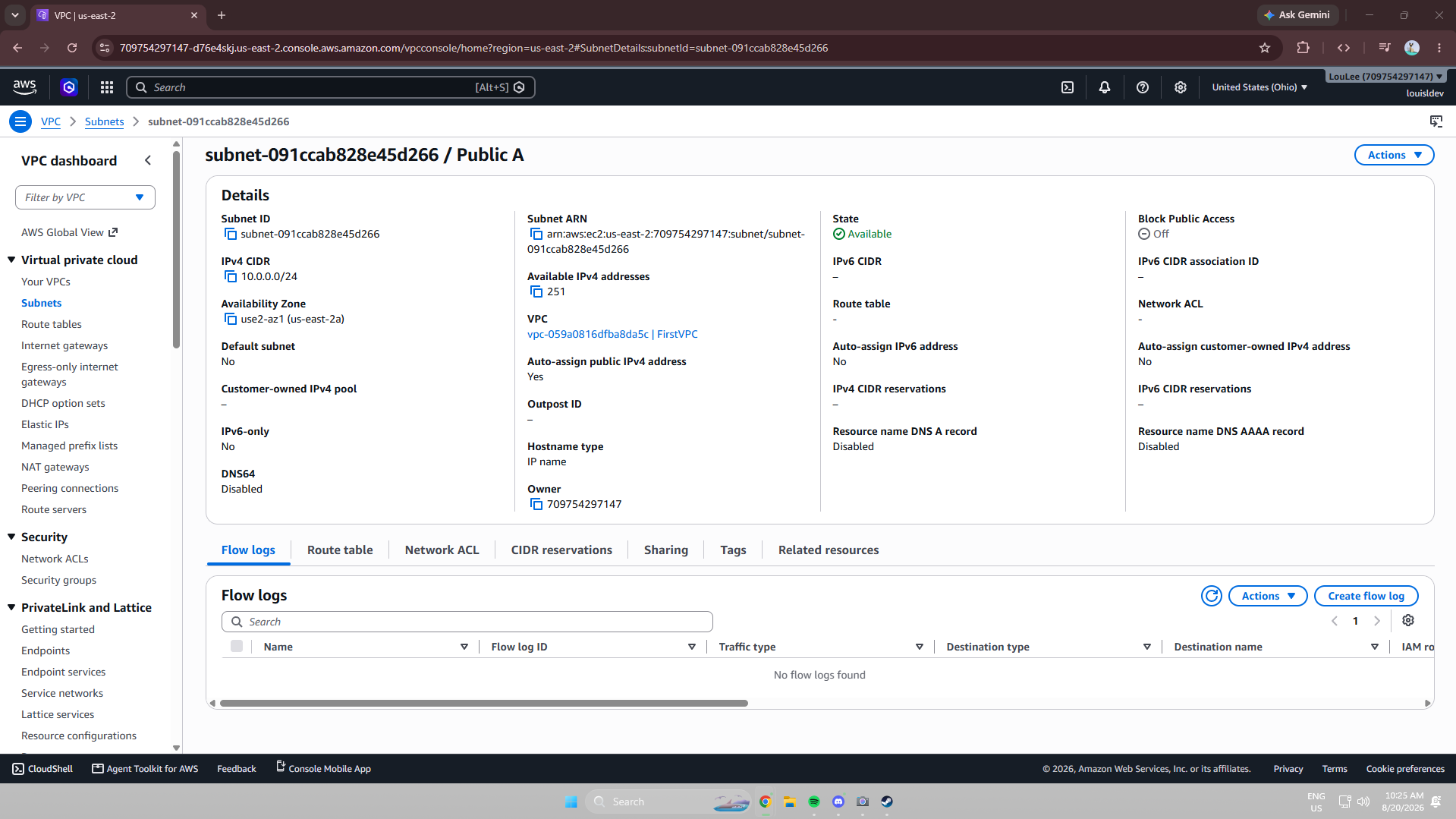
I created a subnet inside the VPC and assigned it its own IPv4 CIDR block, dividing the VPC's address range into a smaller segment for organizing resources. A subnet is only considered public once its route table has a route to an Internet Gateway, so I also enabled auto-assign public IPv4 addressing so resources launched into the subnet could receive a public IP automatically.
Attaching an Internet Gateway
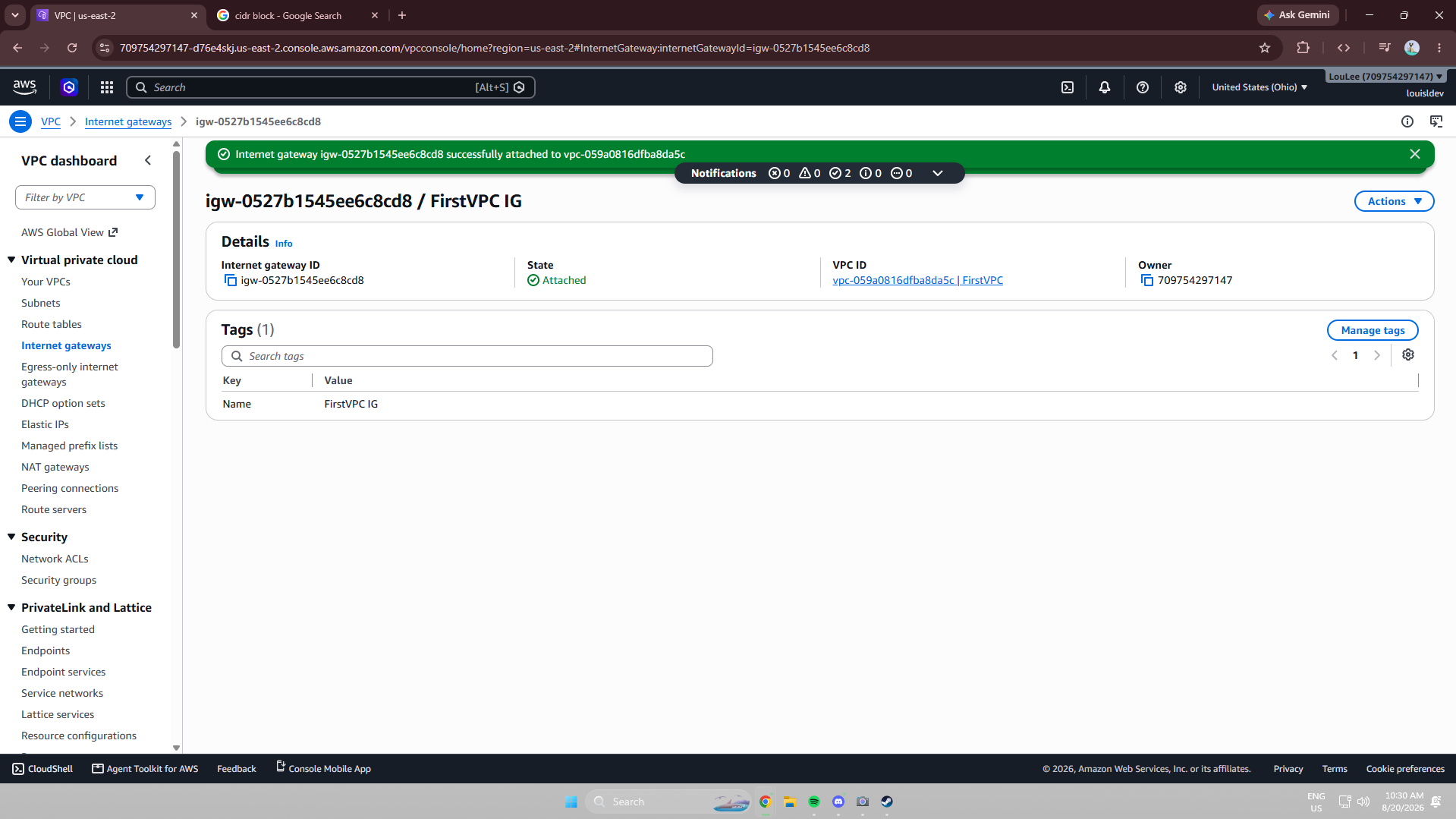
An Internet Gateway is the AWS component that allows communication between a VPC and the public internet. I created one and attached it to my VPC, giving the network a gateway for internet-bound traffic. Without this step, resources in my subnet would have no path to the internet, regardless of any other configuration.
Traffic Flow: Route Tables
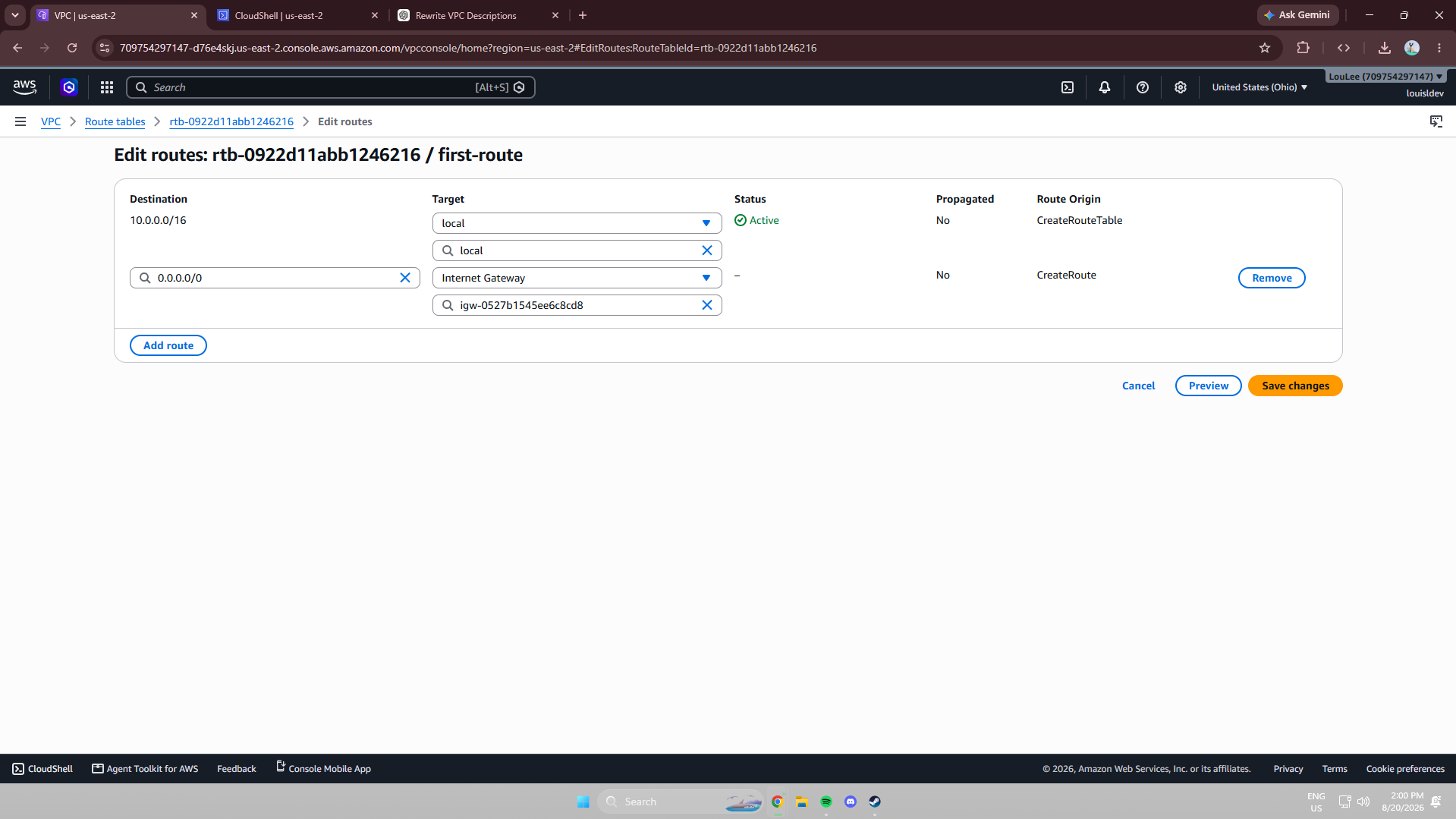
Route tables control where traffic from resources in a subnet is directed. To make my subnet public, I added a route with a destination of 0.0.0.0/0 — representing all IPv4 addresses not matched by a more specific route — with a target pointing to my Internet Gateway. Without that route in the subnet's route table, resources would have no path to the public internet even with an Internet Gateway attached.
Security Groups vs. Network ACLs
Security groups are virtual firewalls attached to individual resources, such as EC2 instances, and are stateful — return traffic for an allowed connection is automatically permitted. I configured an inbound rule specifying the protocol, port, and allowed source, while the default outbound rule permitted all outbound traffic.
Network ACLs operate at the subnet level rather than the resource level and are stateless, meaning inbound and outbound traffic must each be explicitly evaluated. By default, a network ACL's rules allow all traffic, while a custom network ACL starts by denying everything until rules are explicitly added — giving me finer control over what enters and leaves a subnet.
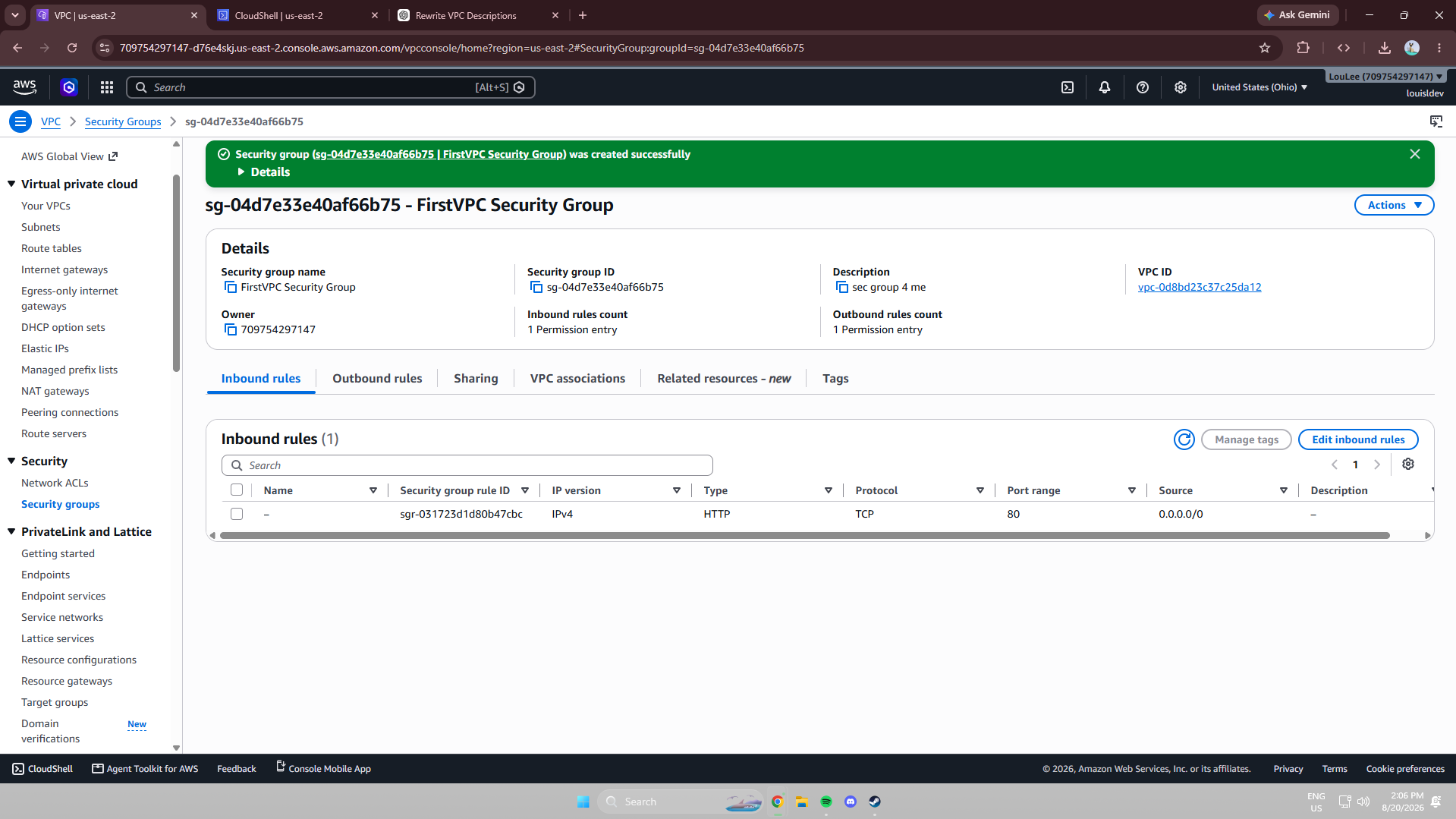
Security group inbound/outbound rules — stateful, resource-level.
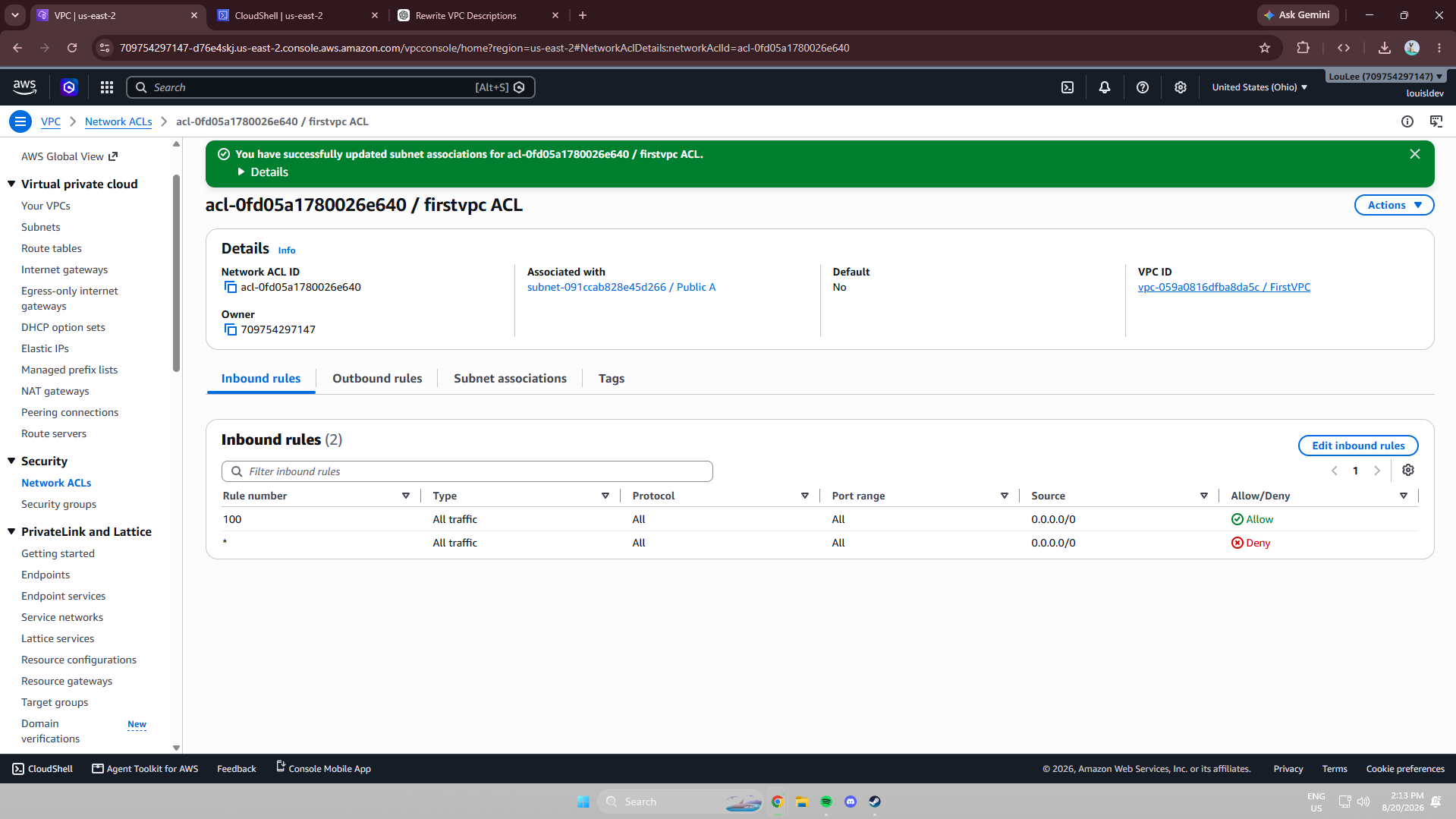
Default (allow-all) vs. custom (deny-by-default) network ACLs.
Isolating Resources with a Private Subnet
A private subnet has no route to an Internet Gateway, which isolates resources such as databases or internal application servers from direct internet access. My public and private subnets each needed their own unique IPv4 CIDR block, since two subnets in the same VPC can't share an address range.
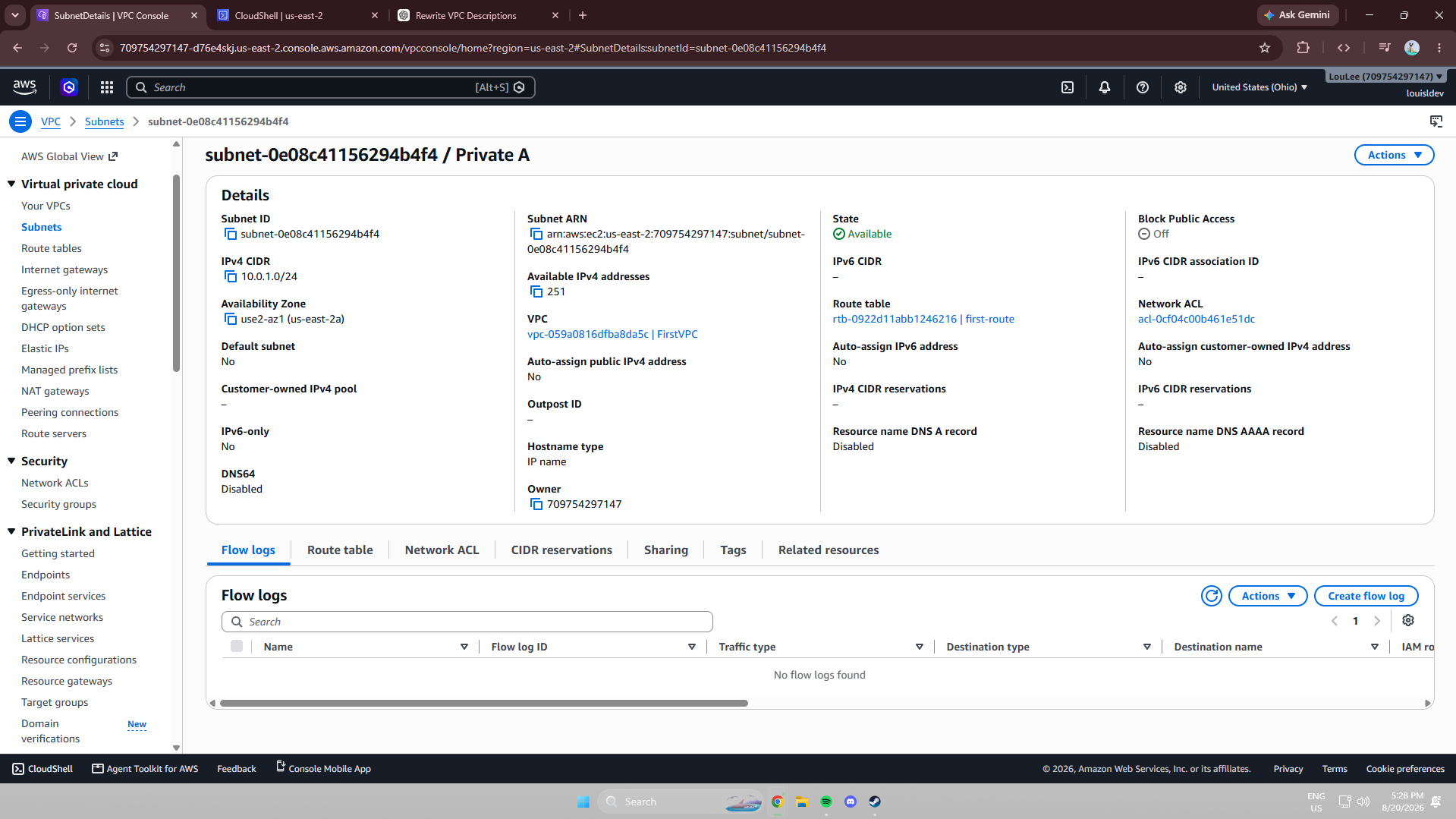
A Dedicated Route Table and Network ACL
By default, a new subnet inherits the VPC's default route table and network ACL. To keep my private subnet fully isolated, I created a dedicated route table containing only the local route needed for communication within the VPC — deliberately leaving out any route to the Internet Gateway. I paired this with a dedicated network ACL defining its own inbound and outbound rules, giving the subnet an independent layer of traffic control separate from the public subnet.
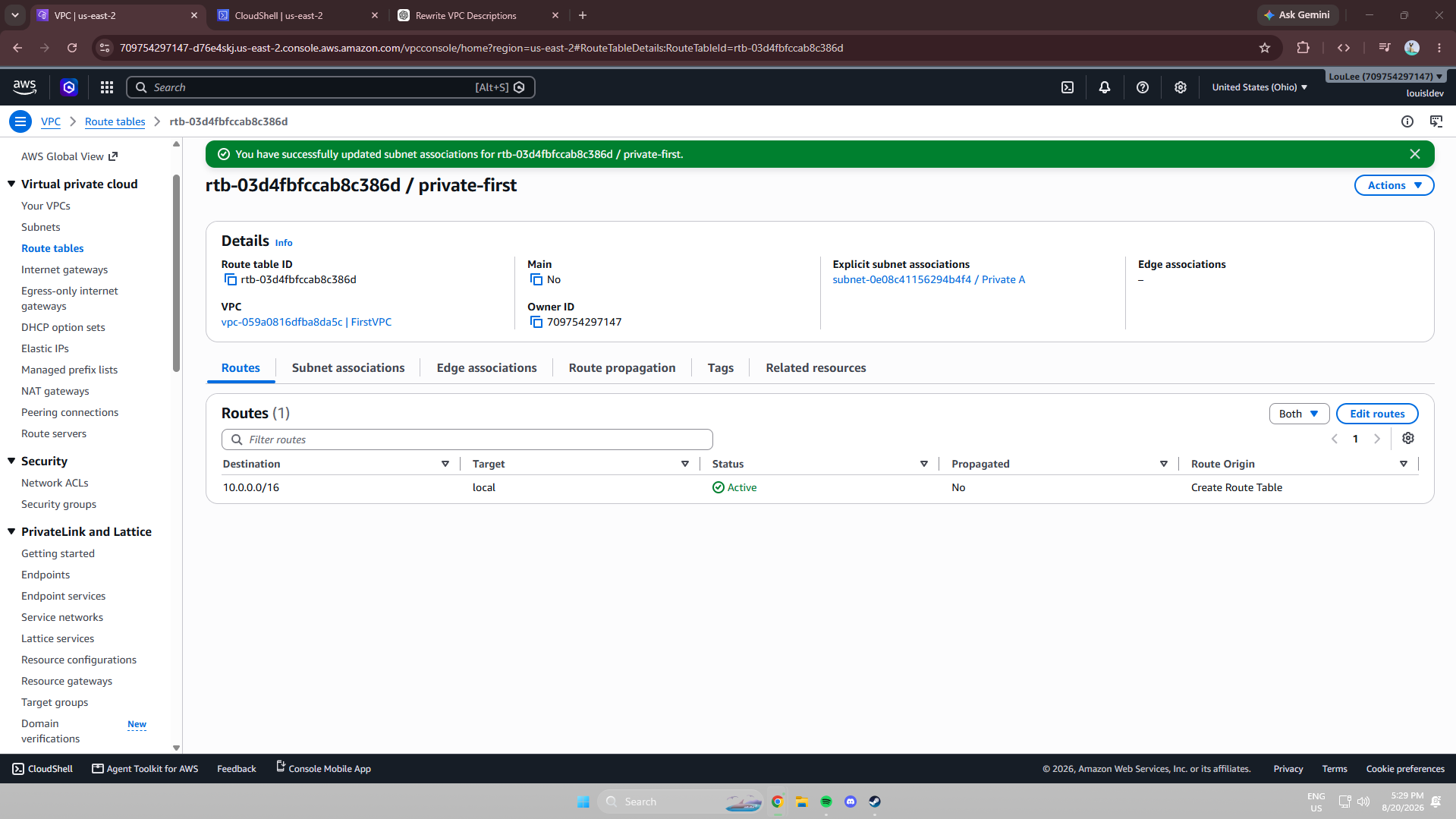
Private route table: local route only, no path to the internet.
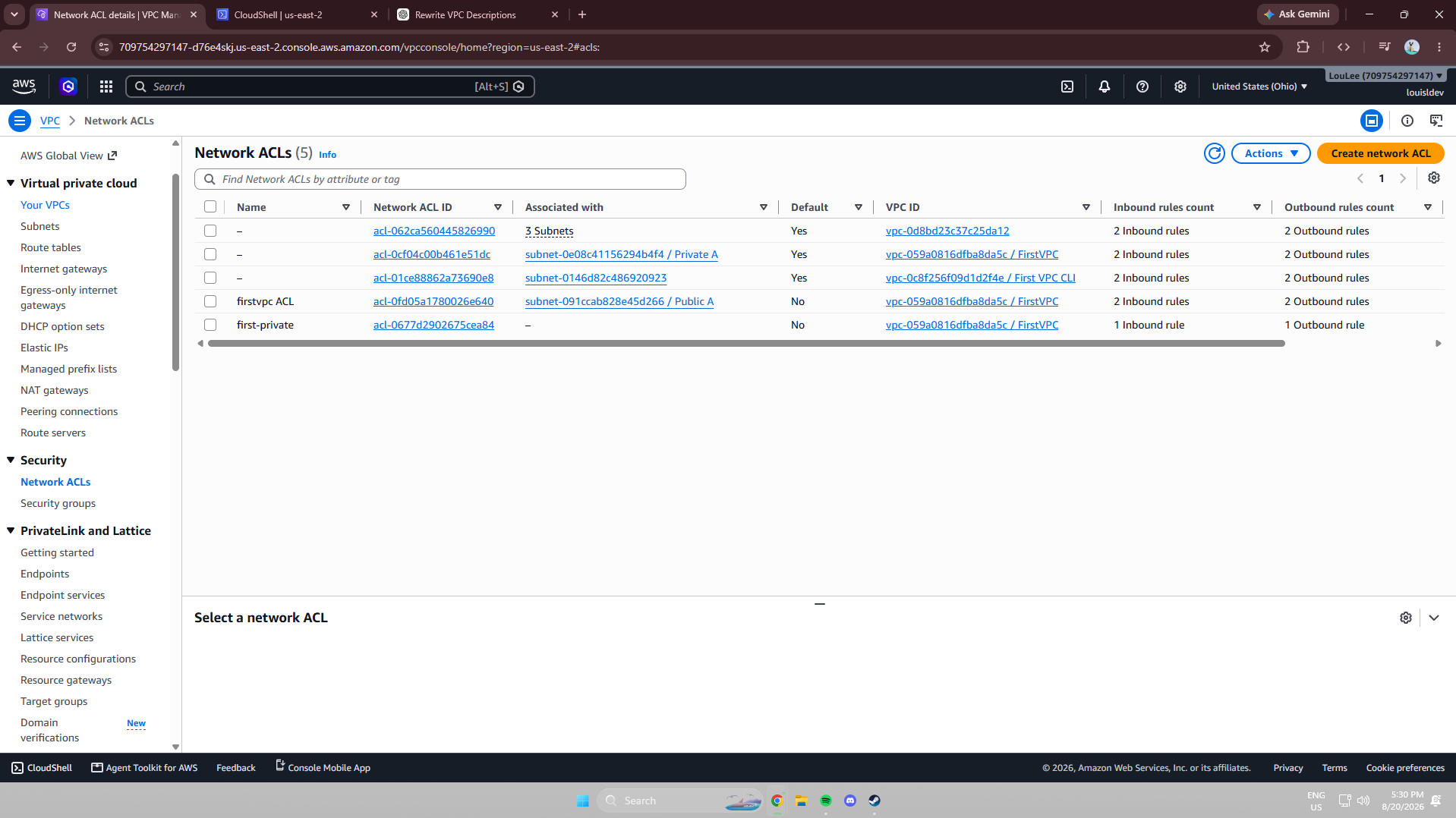
Dedicated network ACL scoped to the private subnet.
Managing Networking via the AWS CLI
As an extension, I recreated parts of the same networking setup using AWS CloudShell and the AWS CLI instead of the Management Console. The CLI is faster for repetitive tasks and better suited to automating infrastructure deployment, while the Console's visual interface made it easier to understand how the VPC, subnets, Internet Gateway, route tables, and security controls all fit together while I was still learning.

Project Reflection
The biggest surprise was how many components work together just to let a resource reach the internet — a public subnet alone isn't enough; the route table, Internet Gateway, security group, and network ACL all have to align. Building the private subnet afterward made those relationships concrete: removing a single route to the Internet Gateway, and giving the subnet its own route table and network ACL, was enough to fully isolate it from direct internet access. Together, these three sessions gave me a much clearer mental model of how traffic actually flows through an AWS network.